Article ID: SWH-KB-000036991
Published: 27/01/2025
Warning – Level 2 Document – Please Do Not Distribute
NOTE: This is supplemental information related to TAB number:
Hardware detected: iSTAR ULTRA G2 with ACM SE G2 V2 boards (V1 boards seems not to be impacted to the same degree)
Firmware detected: all firmware< 6.9.5.CU01d
C•CURE Version impacted: As this is a hardware related issue, all C•CURE versions can be impacted.
Fix
Firmware 6.9.5CU01d will address this very specific issue.
Root Cause
An issue was reported, in which the ACM board status messages are continuously sent from an Ultra ACM SE V2 board to the iSTAR Ultra GCM board, resulting in flooding the iSTAR log and console output (if the console is enabled.)
These messages only came from MCU2 on SE ACM G2 V2 boards. It was found that this was caused by an issue in the ACM G2V2 firmware, in which SE ACM G2 V2 boards would frequently report to changes in Lock Power voltage to the iSTAR GCM.
The root cause of this is that the same firmware executable code is used by the Ultra ACM G2 V2 board and the SE ACM G2 V2 does not actually have the Lock Power circuitry (this circuitry is only on Ultra ACM boards). Because the Lock Power voltage measurement pins are unconnected on the SE ACM G2 V2, stray noise spikes on the unconnected voltage pins are being measured and reported to the iSTAR GCM.
Symptoms
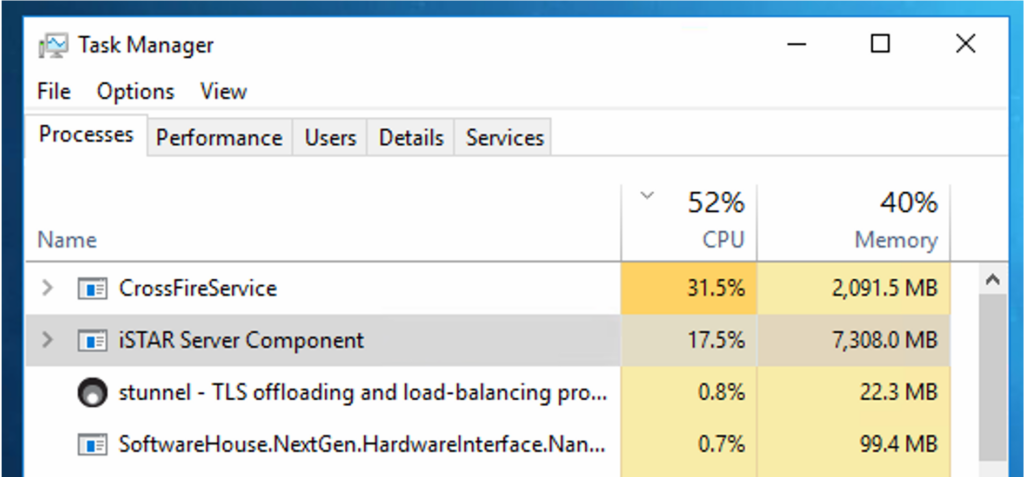
- iSTAR driver starts using extreme amount of memory and keeps growing in time.
- General system delays, events not getting activated timely, dynamic views not getting updated timely, etc.
- Delays in processing events triggered by inputs such as duress and panic buttons.
How to Detect
NOTE: This behaviour is only seen with iSTAR Ultra G2 using ACM SE G2 V2 boards.
- iSTAR driver consuming high amount of memory and keeps growing is the first give away.
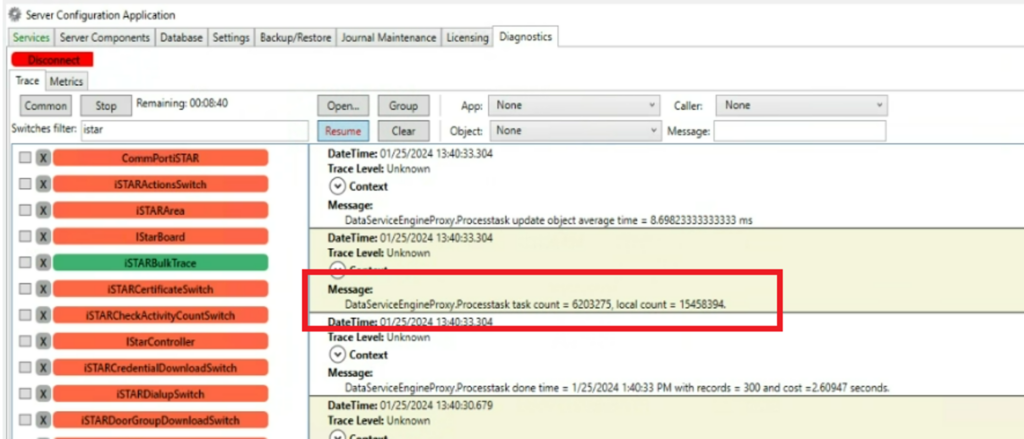
2. Turning on iSTARBulkTrace will show high numbers in task count and local count.
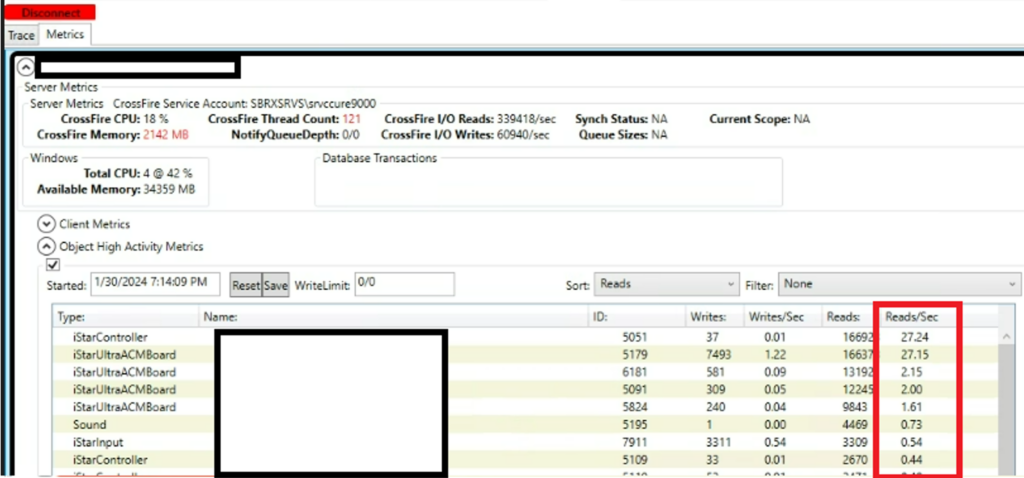
3. Object High Activity Metrics: Sort on read and check what ACM boards are getting pushed to the TOP.
Counter Measure
- Pinpoint from the Object High Activity Metrics the ACM boards, restart these by either:
- Physically restart the ACM SE board.
- Restart the controller (physically or remotely using a soft restart from the web interface)
- Depending on the number of actions running behind:
- Let the system settle down:
- You can monitor the iSTARBulkTrace, check how many new transactions are written in the task count and calculate from here, an average per second.
- Same time check how long it takes to process 300 records
- Based on these numbers, you can make a rough estimate on time needed to process these buffers.
- Restart the Services > Maintenance Window needed.
- Let the system settle down:
Once observes and if it is not yet running Firmware 6.9.5.CU01d, the advice is to frequently monitor the iSTARBulkTrace and the “Object High Activity Metrics”. As soon as an ACM board is getting reported, restart that board as soon as possible to avoid any possible performance error.