Article ID: SWH-KB-000038006
Warning – Level 3 Document – Please do not distribute
Issue
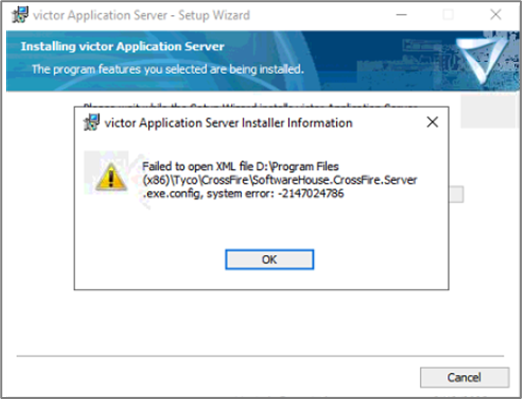
Services will not start, or the victor Application Server repair will not go through and gives an error regarding incorrect entry in the Server Config file.
Fail to open XML file C:\Program Files(x86)\Tyco\CrossFire\SoftwareHouse.CrossFire.Server.exe.config, system error: -2147024786
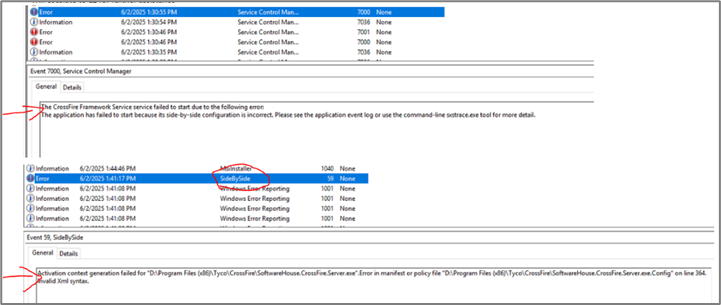
In the Application Log of the event viewer, it will show the following error:
The Crossfire Framework Service failed to start due to the following error. The application has failed to start because its side-by-side configuration is incorrect.
Resolution
This is an issue with the Server Config file.
Go to this location in the CCURE server:
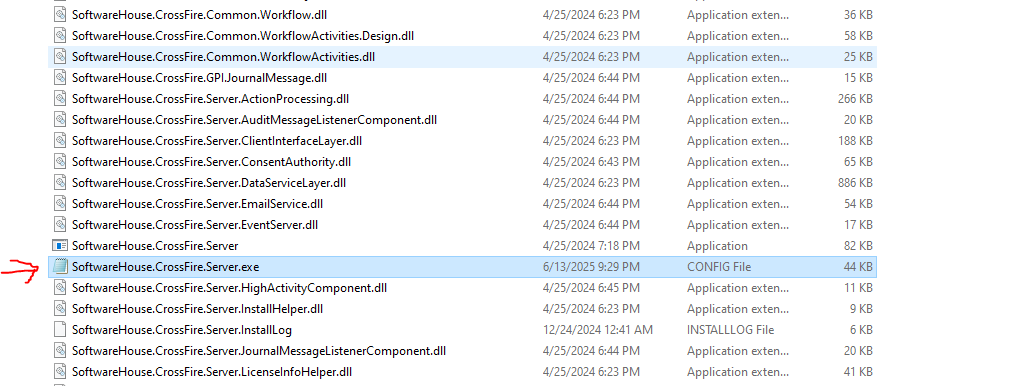
C:\Program Files (x86)\Tyco\CrossFire (assuming C is the installation drive) and open up the “SoftwareHouse.CrossFire.Server.exe” as shown below:
Open the file and at the start you will see:
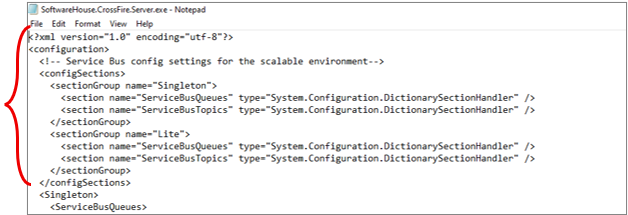
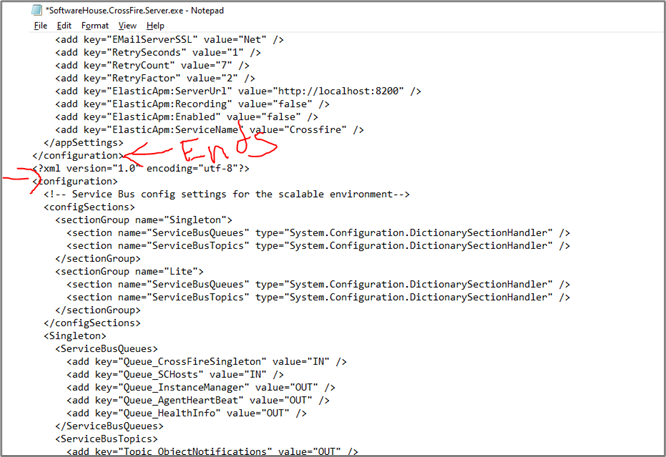
The configuration of the file is repeated twice in the same server config file. All you have to do is to keep one set of configuration data and remove all other.
Save the file.
Perform repair of the victor Application Server.
Now the services will start.
SWH-KB-000038006.pdf