Article ID: SWH-KB-nID-000034934
Published: Jun-07-2022
Symptom
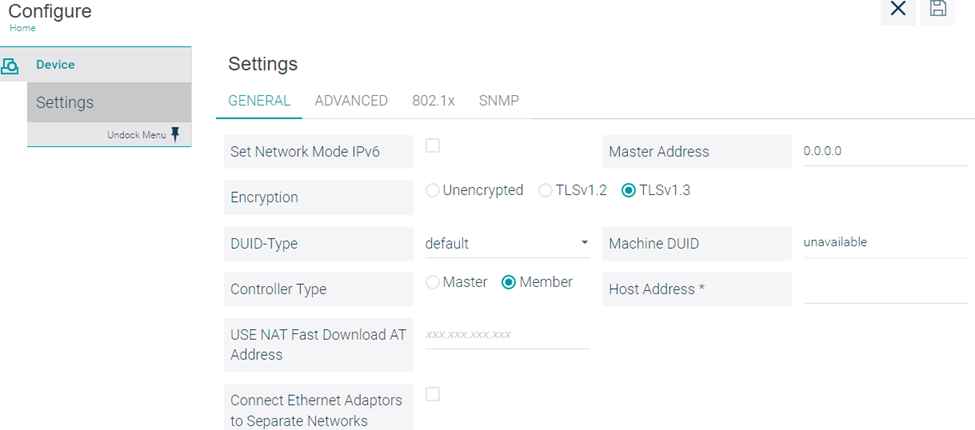
When configuring a TLS 1.3 cluster for an iSTAR Ultra G2 GCM, if the GCM is configured incorrectly an error such as:
Configuration Error: ‘Ultra G2 is configured as an iSTAR UltraG2 but actual hardware type detected is iSTAR Ultra Encrypted’
Cause
This is caused by the GCM being configured for TLS 1.2.
Solution
Log into the web interface of the controller and go to the Configure section and change the Encryption type to TLS v1.3